
The Best Browser for Privacy in 2026
Chrome remains the most common browser, but also the worst if you care at all about your privacy.

Apps make up 90% of internet traffic these days but there are still times when using a browser is unavoidable. Indeed, if you want to maximize your online privacy, it's imperative to move away from apps whenever possible. However, of course, not all browsers are equal.
Switching to a private browser is an easy way to improve your privacy with very little effort. So this week, let's look at the best browsers that protect your privacy in 2026.
Why to Switch
For the skeptics who think that changing browsers might be more work than it's worth, let me start by pointing out that for most browsers, switching is almost a one-click process.
When you download and install a new browser, they all ask you if you want to import data from your old browser like bookmarks, extensions, and other saved data. (Even passwords, history, and other stuff I don't recommend you save in your browser.)
I also have to issue a warning against Chrome in particular. Chrome is still by a wide margin the most popular browser on Earth, at nearly 70% market share, but remains one of the worst possible browsers you can use if you care about your privacy even a little.
For starters, the way Chrome is designed to be used is with you signing into your Google account, which in turn gives Google vast insight into everything you do in the browser.
Even when signed out, Chrome is missing privacy-protecting features that have been standard in other browsers for years such as blocking third-party cookies, fingerprint resistance, and ad/tracker blockers.
Many other popular browsers offer some or all of these features by default to various degrees by default, but Chrome does not. In some cases, Chrome doesn't even offer them optionally and you'd have to go download third-party extensions to get these benefits, which introduces other potential risks.
Nearly any other popular browser is a step up from Chrome privacy. Still, here's a few I believe stand head and shoulders above the rest.
Honorable Mention: Tor Browser
Let's start at the top: the Tor Browser is objectively the golden standard when it comes to browsing privately online. Browsing the internet with Tor as close to untraceable as you can get.
I have an older video explaining Tor, but here's the two main reasons the Tor Browser is so powerful in this context:
- The Tor Browser is designed to make everyone look identical. The Tor Browser standardizes characteristics that websites normally look for to uniquely identify you such as screen size, fonts, and extensions so that everyone looks the same and nobody can be uniquely tracked.
- The Tor network relays traffic through multiple nodes. This makes it harder for even advanced adversaries (like nation-states or defense contractors) to track any individual's web traffic, but also makes it harder for websites to fingerprint you based on things like IP address or latency.
The Tor Browser includes additional changes that improve security and censorship resistance, but those are the main changes that are relevant to this topic.
However, the Tor Browser rarely works for most people as their main browser for a few reasons:
- For starters, you shouldn't log into services while using the Tor Browser as this can undo your anonymity by directly tying your browsing session to a known identity.
- Likewise, you shouldn't install any additional extensions - even ad-blockers - because this can make your fingerprint unique. Also, because of the multi-hop node architecture, it can sometimes be a little slow (it's especially bad for things like streaming video).
- Finally, many websites block known Tor IP addresses to prevent abuse.
The Tor Browser is great for research and general browsing, but due to these restrictions it's not feasible for day-to-day use of the average user. Still, I do recommend having a copy and using it as often as possible.
You can download the Tor Browser here:


Brave
The ideal browser for most people is Brave.
Brave is based on the same code base as Chrome (as well as Opera, Vivaldi, Edge, and several other popular browsers), so when switching over you should be able to bring all the same extensions, themes, and other modifications you've made to Chrome with just a few clicks and be up-and-running in no time.
What makes Brave really stand out - aside from the ease of switching and familiarity - is the built-in ad-blocker and default fingerprint resistance.
The built-in ad-blocker is based on uBlock Origin, which is the gold standard for ad-and-tracker-blocking among privacy enthusiasts. Additionally, Brave has some of the best fingerprint resistance of any mainstream browser.
All this is turned on by default and all invisible to the user (except the noticeable absence of ads, which results only in a much more pleasant browsing experience). They're constantly innovating new ways to protect your privacy online without breaking the user experience.
Brave does draw a lot of criticism for bundling some cryptocurrency and AI features into their browser, but all this can be easily disabled (or simply ignored) for people who have no interest. Here's a great video from Techlore about how to disable those for people who want to:
Here's some additional settings I recommend as well to really maximize Brave's privacy and security:
 Nathan Bartram
You can download Brave here:

Firefox
Many people reject the idea of using Brave on the grounds that using a Chromium-based browser gives Google additional control over the browser landscape, while others simply find Brave's default-inclusion of cryptocurrency features to be distasteful.
These people tend to gravitate toward Firefox.
Firefox is a popular choice for a privacy browser, but it's admittedly more of an ideological choice than a practical one as many of the protections it offers aren't enabled by default.
That's not to say Firefox is a bad choice but you will have to do a little bit of tinkering (not much) to bring it up to Brave's level. This includes stuff like adding uBlock Origin to block ads and trackers, turning on Enhanced Tracking Protection, and turning off at least some of their AI features.
Here's a link to all the recommended changes I suggest:
 Nathan Bartram
You can download Firefox here:

The New Oil is supported by our audience. If you're getting value out of our work, please consider supporting us.
Honorable Mention: Mullvad Browser
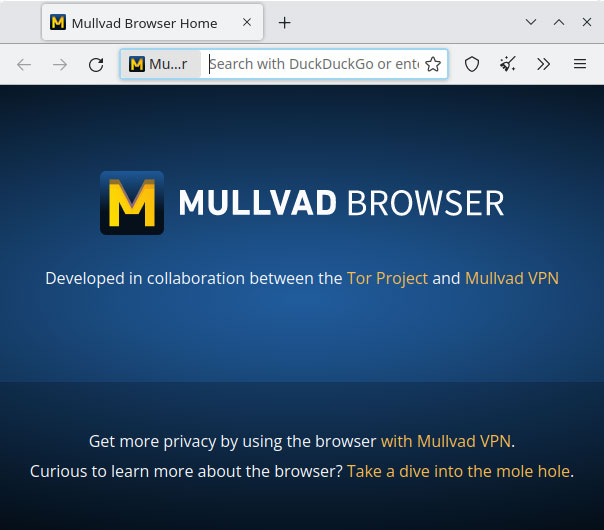
If you think Firefox's ethos might align with yours but you envy Brave's "out of the box" privacy readiness, you may want to consider the Mullvad Browser.
A collaboration between the Tor Project and Mullvad VPN, the Mullvad Browser can be best simplified as "the Tor Browser without the Tor network." There are a few technical differences between the two browsers, but that's the biggest one.
There's a few notes about using Mullvad Browser:
- First and foremost, it's designed to be used in conjunction with a trustworthy VPN (Mullvad is the recommended option, but any trustworthy VPN will suffice).
- Second, browser data is not persistent in Mullvad Browser, meaning that (for example) if you log into a website, you'll be logged out when you close the browser.
- Third, due to the security enhancements ported over from the Tor Browser, you may experience site breakage from time to time.
If you're okay with all of those caveats, Mullvad Browser can offer even stronger privacy than Brave (though not quite as high as the Tor Browser).
You can download The Mullvad Browser here:

Mobile Browsing
I mentioned in the intro that 90% of web traffic is done via apps, but I believe we should really move away from this.
Apps are very hard to make private in a meaningful way. You may be able to adjust some general account settings in the app - like setting your profile to private or turning off personalized ads - but it's very difficult (especially for a non-tech-savvy person) to eliminate fingerprinting, analytics, and some of the extensive permissions that many apps request from the device, and these can present huge privacy risks for you.
Instead, many apps can be used in the browser in the form of a Progressive Web App (or PWA). In most cases, apps used in this way will function identically to the app, but will benefit from significantly improved privacy and security, especially when paired with Brave, Firefox, or hardened Safari for iOS users. I have a video explaining PWAs in more detail:
Whatever browser you use, it's time we break away from Chrome to a browser that actually puts effort into respecting your privacy. Chrome's privacy protections are so far behind other browsers that it's almost disingenuous for me to even say it has any. Switching browsers (and switching to PWAs) is a quick, easy, and free way to start improving your privacy today.
Tech changes fast, so be sure to check out our website for all the latest recommendations, tools, services, and more.


