

Like most things in life, privacy has layers.
There's the entry-level stuff like using a password manager, Signal, or switching to a private browser such as Brave or Firefox.
Then there's the advanced stuff like using Qubes, self-hosting various services, or using a Faraday bag.
Somewhere in between is using Tor Browser.
Tor Browser is considered one of the best ways to use the internet anonymously but like most things in life, it comes with a few rules. Specifically there are two you'll hear commonly shared:
- Don't add any extensions
- Don't sign into anything
But do these recommendations really hold up to scrutiny? Or are they just outdated remnants of the ancient internet that we've yet to shed?
Today I want to challenge the idea that you should never sign into anything while using Tor Browser, because I believe I've found some nuances in my own journey that are the exception.
What is Tor Browser (and Mullvad Browser)?
Before we dig into the debate, let's make sure we're starting from the same place.
Tor Browser is is a free piece of software from The Tor Project that lets you browse the internet anonymously, as well access Onion Services (sometimes called "the dark web").

It routes your traffic through multiple encrypted layers (called "nodes") around the world before it reaches its destination. This hides your IP address from the websites you visit and makes it very difficult for anyone watching your network to trace your activity back to you.
I made a video some years ago explaining it:
The Mullvad Browser is also worth including in this discussion. I describe the Mullvad Browser as "Tor Browser with out the Tor network."

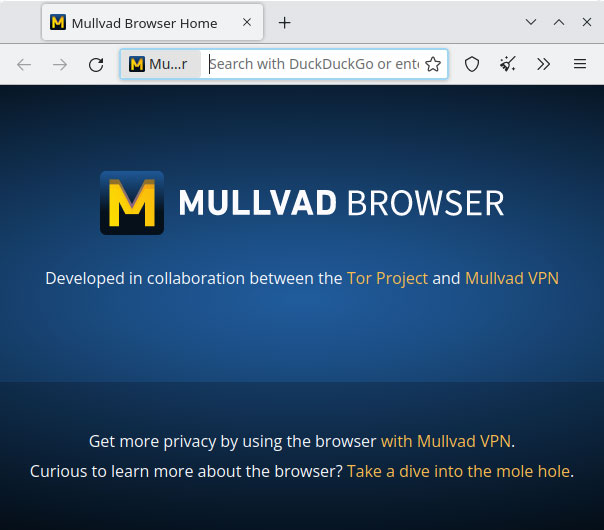
It was created through a partnership between the Tor Project and Mullvad VPN, and you can see an exact list of differences here:

The idea behind the Mullvad Browser is that it's supposed to be a compromise between Tor Browser and a typical privacy browser like Brave or Firefox:
- It's faster than Tor Browser
- But not quite as anonymous
- While still offering significantly better privacy and anonymity than a typical privacy browser
The basic design philosophy behind both Tor and Mullvad Browsers is that they try to make all users look the same to make it harder for advertisers, data brokers, and other adversaries to fingerprint and track users.
If you're not familiar with the concept of "fingerprinting" and how it works, I have a video explaining that, too:
 The New Oil
Never Sign In?
On the surface, the conventional wisdom against signing in makes sense.
When you log into an account - such as your email, social media, or banking - that service already knows who you are. They have your email address, possibly your phone number, and maybe even your real name. At that moment, your identity is no longer hidden from them, because you've correlated your current browser session with your real identity.
But who said this was best practices?
Certainly not the Tor Project or Mullvad.
Mullvad fully expects you to sign into stuff on their browser. For proof, I direct you to two links. The first is from their FAQ:

The second comes from this post on the Privacy Guides forum from last year which shares a link to a GitLab issue showing that the Tor Project/Mullvad are working on an optional persistent mode that would allow you to stay signed in.
 any1
any1
If they were trying to discourage users from logging in, you'd think they'd both overtly say so in the FAQ and not work to add a persistent mode that would absolutely encourage such behavior and make it easier.
But wait, there's more!
The Tor Project also expects users to sign in. Aside from the fact that the aforementioned GitLab post involved both Mullvad and the Tor Project, there's also this page from the Tor Project's official help website:
 Tor Project Inc.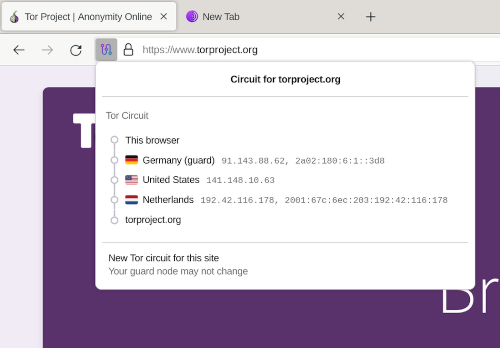
Once again, not a single mention of "we recommend against signing in wherever possible." Indeed, quite the opposite:
There may be situations in which it makes sense to use Tor with websites that require usernames, passwords, or other identifying information.
So clearly the advice that you should never sign in is not official recommended best practices. But when is it okay and when is it not?
The Practical Answers
Let me start with the simple solutions and then dig into the nuances.
There are three times, I would argue, that it definitely makes no sense to sign in with Tor Browser:
- When a website blocks Tor. Even if you refresh the circuit enough times to get an unblocked Tor node, there's a great chance that the service itself may flag the account for suspicious activity and temporary or permanently ban you. In my experience, it's usually not worth the effort.
- When the website already knows who you are. For example: banks, healthcare services, government websites, etc. These services tend to block Tor anyways, so many of them will fall under the first point.
- When logging in requires a hardware token or passkey. Due to the hardened security of Tor Browser, you cannot use security tokens. Since it's recommended to not add extensions such as a password manager, that means most passkeys likely won't work for you either.
In the first two cases, you can try using Mullvad Browser instead. The third case is also true of Mullvad Browser, so in that situation you'll still be forced to use another browser.
Adding To the Noise
Once we get past those three situations, the question of whether or not to sign in becomes more nuanced and - like most things - comes down to threat model and motive.
 Nathan Bartram
Aside from anonymity, the main reason (in my opinion) to use the Tor/Mullvad Browser whenever possible is to "add to the noise."
Both Tor and Mullvad Browser work best in large numbers. The more people use them, the harder it is for an adversary to pick out a single user among all the traffic bouncing across multiple relays.
Chances are that if you're reading this, using Tor is not a life-or-death decision for you. But there are tons of people around the world who do need the maximum level of anonymity - journalists, activists, and more. When you use Tor, you can become part of that background noise, making it harder for bad guys to track the people who need that protection most.
In the case of Mullvad, even the creators would likely argue that it's not fit for "life or death" threat models, but the same logic applies: using it helps contribute to the overall userbase and benefits you trying to gain a high level of privacy.
Anonymity
On the other hand, if your primary goal in using Tor Browser is to take advantage of the anonymity, then the nuance becomes "from who?"
Consider this example:
I host a news feed on Mastodon where I post articles related to privacy and cybersecurity.

To accomplish this, I use Nextcloud News as an RSS reader. When it comes time to queue up articles, I log into Nextcloud via my browser, click the article to open it, and then copy and paste the headline and link over to my scheduling software, adding any relevant hashtags for discoverability.
These news articles a perfect candidate for using Tor Browser:
- Not blocking Tor (usually)
- No account, so they don't have my real identity
- No account, so no concerns about login obstacles
Conventional wisdom says that the proper procedure is to log into Nextcloud in a regular privacy browser, right click the link, and then paste it into the Tor/Mullvad Browser.
But why?
It's my Nextcloud instance! That I self-host! Avoiding the Tor/Mullvad Browser to sign into Nextcloud implies that I'm trying to prevent me from de-anonymizing me. That doesn't make any sense.

We can extrapolate this out to other privacy services.
If you trust a service with your data, it's probably safe to use Tor/Mullvad to log in. This is especially true for privacy-focused services like Proton, Filen, NextDNS, ente, and others.
That's because these services aren't invested in tracking you. Sure, they know who you are, and once you sign in they can correlate that web session, but typically:
- They're not going to track your activity in other tabs
- They only store the browser session information required for troubleshooting, detecting abuse, and making the service function correctly
- They won't store that data for long
- They won't sell or share it without a legal order
Going even further: before I mentioned that even if a company does know who you are, it's probably okay to sign in if your goal is to simply add to the noise rather than to be anonymous yourself. That's because Tor Browser features strong per-tab privacy features like site isolation, disabled WebRTC, and unique per-tab circuits.
This means that in theory even a company like Google shouldn't be able to track me across multiple tabs, even if I'm signed in. The tab where I'm signed in is the only one that can access the cookies, cache, and other identifying information that confirms who I am, and every other tab looks like every other user (especially in the case of Tor Browser), meaning that every other tab - as far as Google is concerned - could be anyone.
In other words: sign in often and freely.
With, of course, one heavy caveat.
The New Oil is supported by our audience. If you're getting value out of our work, please consider supporting us. (It gets rid of this banner!)
Threat Models
All things being equal - the service doesn't block Tor and you have the technical ability to sign in without passkeys or hardware tokens - the major deciding factor of "should you sign in" comes down to threat model.
As mentioned, in theory, even invasive services shouldn't be able to track all your web activity on something like Tor.
In theory.
But if your threat model is life-or-death - if you're whistleblowing state secrets or protesting a government who sends dissenters to the work camps for the rest of their lives (or worse) - is that a risk you're willing to take?
It's probably best to just assume the worst and not sign in if you can avoid it.
The same goes for privacy-respecting services. Even if a service only hangs on to minimal data for a short time for the sake of troubleshooting or detecting abuse, there is no shortage of articles about services being forced to comply with law enforcement and hand over data on users.
This deserves its own blog post about selecting services engineered for privacy, being mindful what data you hand over to a service in the first place, and how to compartmentalize and be truly anonymous from the ground up online, but this falls outside the scope of this (already longer than usual) blog post.
Thankfully this is also outside the threat model of nearly all my readers. The point for now is that if your threat model is extremely high and a single mistake could have serious consequences, I wouldn't take the risk of signing in with Tor Browser, even less so with Mullvad Browser.
Privacy is Personal
Privacy veterans know that privacy and security are often about tradeoffs. I've discussed this many times in the past.
Using Tor/Mullvad Browser regularly is very inconvenient compared to using Brave or Firefox. For example, due to the lack of a password manager extension I have to manually copy/paste each credential when logging in somewhere. Personally, that's a price I'm willing to pay for superior privacy and doing my part to add to the noise.
Some days though, I favor Mullvad Browser over Tor Browser simply because I want the speed and ad-blocking, even when it's something that could be accomplished over Tor. I'm willing to take slightly less anonymity or privacy in exchange for convenience.
While there are facts - Tor Browser is the best for anonymity and Mullvad Browser is more private than Brave/Firefox - there are no "wrong answers." It's all about your threat model. As long as you're sufficiently protecting yourself, then you're doing it right.
Hopefully I've dispelled a misconception that has made Tor/Mullvad Browser a bit more convenient for your workflow and you'll consider trying them out, especially if you haven't yet.
Tech changes fast, so be sure to check out our website for all the latest recommendations, tools, services, and more.


